⚙️ Configure Artificial Intelligence in GC
After activating Artificial Intelligence in GC, you can define which features are available and where they are used.
This page explains how to adjust AI behavior within the system.
💡 Haven’t activated AI yet?
See: How to activate Artificial Intelligence in GC
🔍 Where to configure
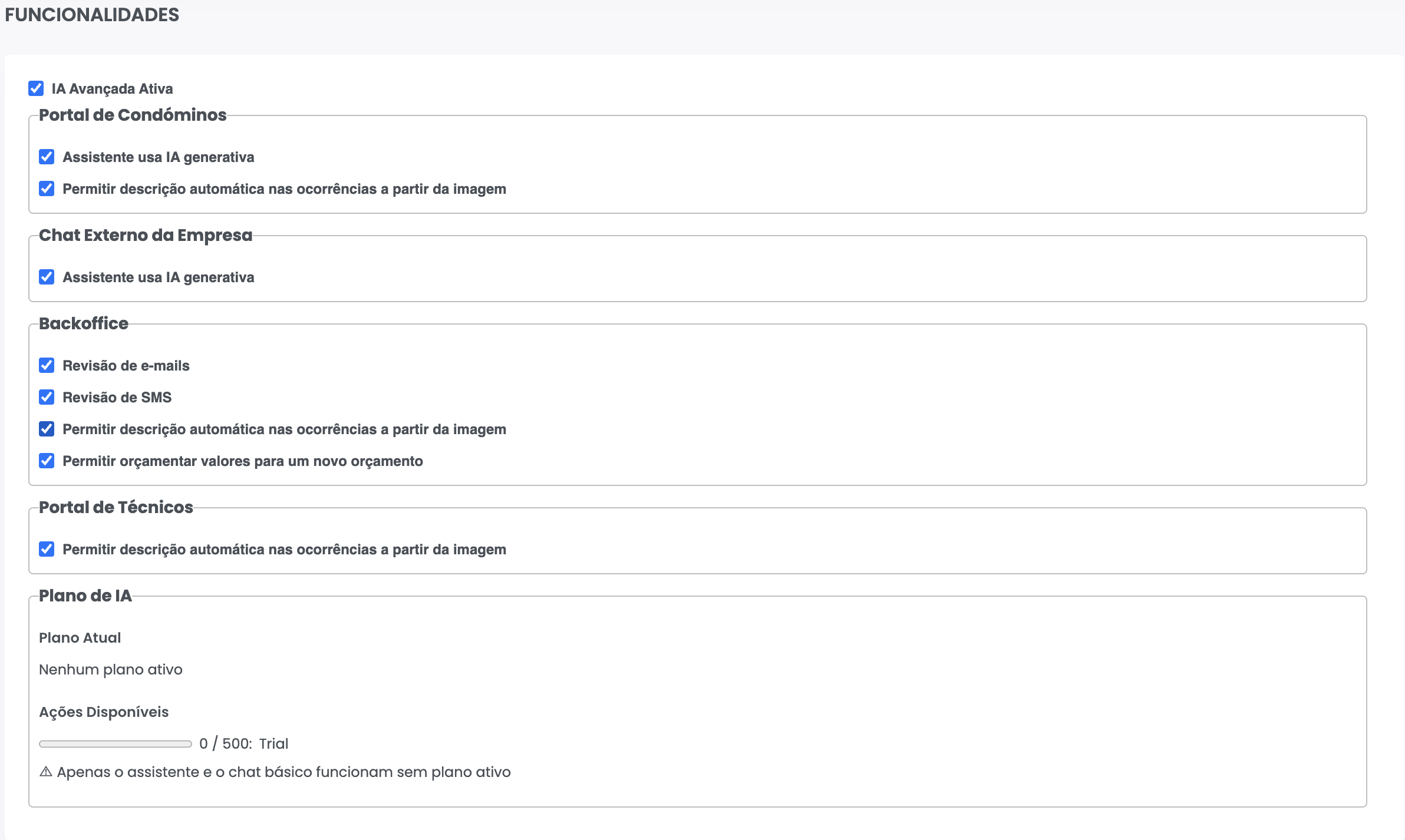
Go to:
Administration >> AI >> Features
⚙️ Available features
📧 Emails
- Automatic email review before sending
- Improved clarity and text structure
📱 SMS
- SMS message review before sending
🛠️ Occurrences
- Automatic description generation from images
📊 Budgets
- Automatic value suggestions per category
- Justifications based on historical data
🤖 Assistant for residents
- Available in the resident portal
- Enables document requests, occurrence reporting, and automatic responses
⚙️ Enable or disable features
- You can enable only the features you want to use
- Each feature works independently
- Changes take effect immediately after saving
🧠 Generative Artificial Intelligence
Some features can use generative AI for open-ended responses.
- Used only when necessary
- Configurable at the feature level
- Consumes actions from the active plan
💡 Best practices
- Start by enabling the most relevant features (emails, occurrences, budgets)
- Adjust gradually based on usage
- Use automatic responses to reduce reliance on generative AI
⚠️ Important notes
- Features require an active AI plan
- Action consumption varies depending on usage
- Configuration is global, but some features also depend on condominium-level permissions
✅ Next step
Explore how to use each feature:
- How to improve emails with AI
- How to automatically describe occurrences
- How to generate budget suggestions
- How to use the assistant for residents