✉️ Clearer, faster, and more professional emails
GC’s Artificial Intelligence allows you to automatically review and improve emails before sending.
With a single click, you can transform a basic draft into a clearer, more structured, and professional message.
🔍 Before and after
Before
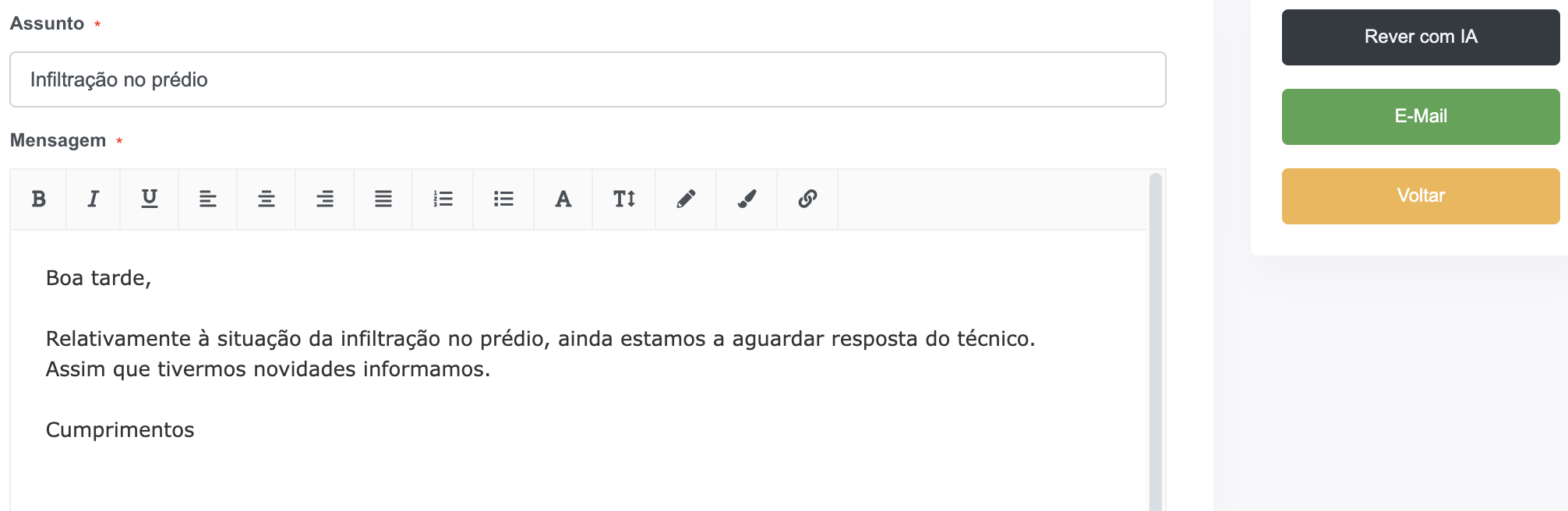
After
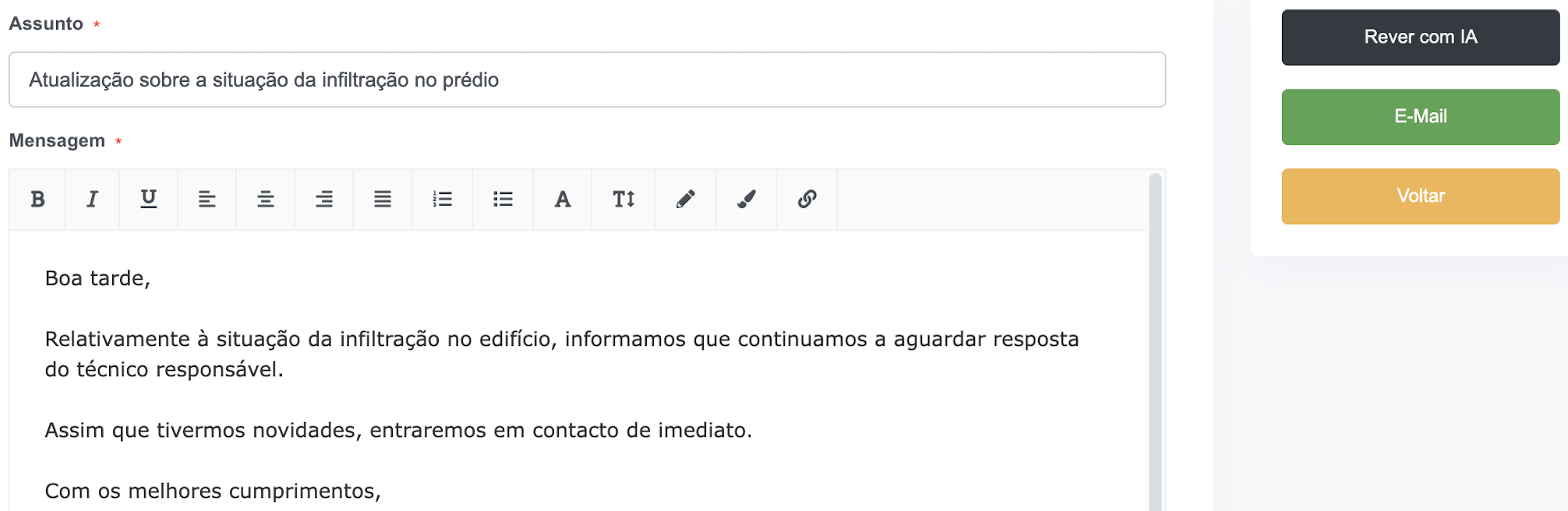
⚙️ How to use
- Go to any email sending screen in the system
- Write your email as usual
- Click the “Review with AI” button
- The system will automatically suggest an improved version
- Adjust if needed and send
💡 What AI does for you
- Improves clarity and structure
- Fixes minor writing issues
- Enhances the professional tone
- Simplifies the message while preserving meaning
- Reduces repetition and unnecessary text
⚠️ Important notes
- The suggestion is automatic, but you can always edit it before sending
- This feature consumes actions from your active AI plan
✅ Next step
Explore other AI features as well:
- How to automatically describe occurrences
- How to generate budget suggestions
- How to use the assistant for residents