🛠️ Faster and more detailed occurrence reporting
GC’s Artificial Intelligence allows you to automatically generate an occurrence description from a photo.
By uploading an image, the system analyzes its content and suggests a clear, structured text ready to use.
🔍 Practical example
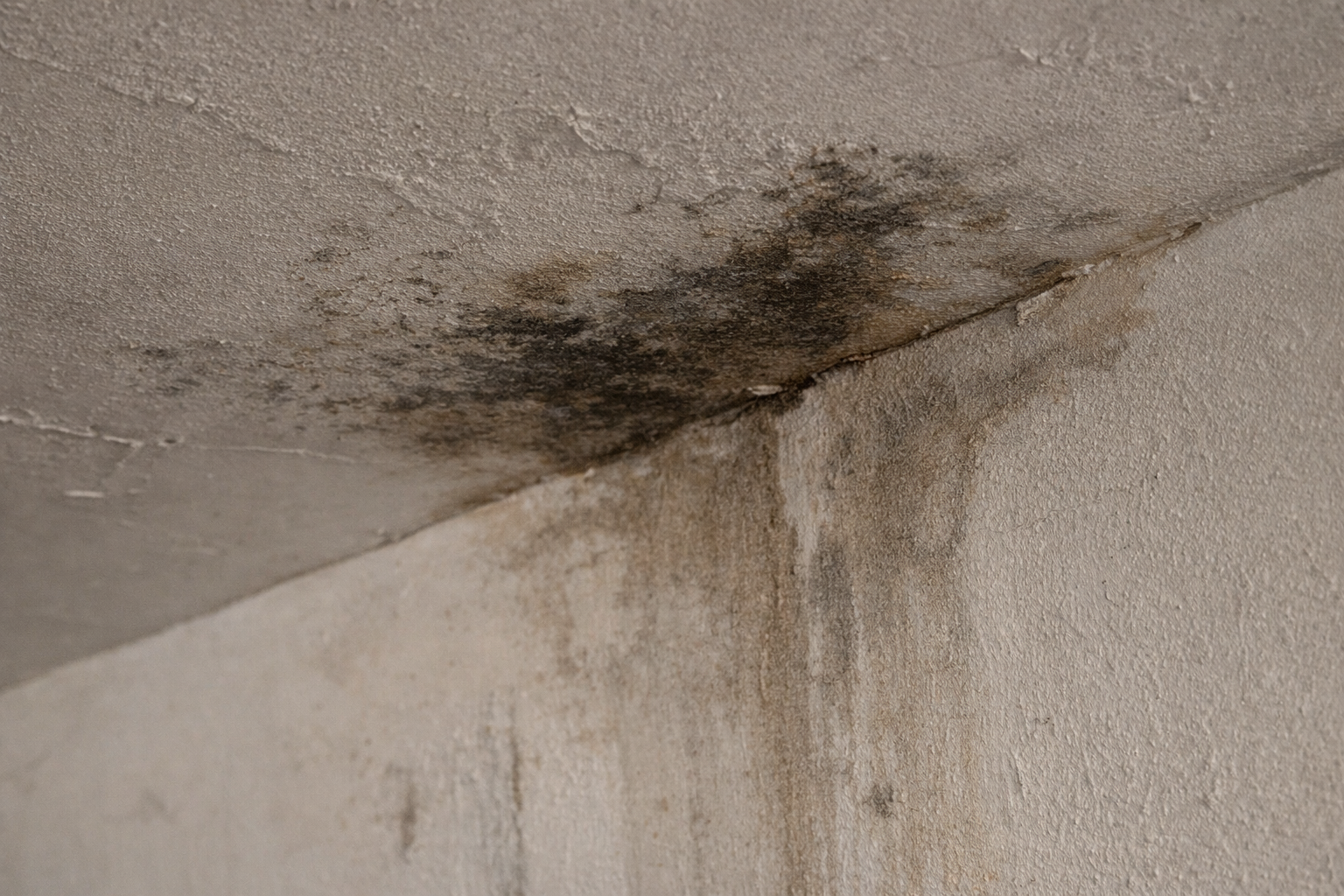
Automatically generated description:
An infiltration was identified near the interior wall, with visible signs of humidity and paint deterioration.
A technical inspection is recommended to determine the source of the infiltration and assess the need for repair.
⚙️ How to use
- Go to the occurrence registration
- Attach a photo of the situation
- With the feature enabled, the description is generated automatically
- Adjust the text if needed
- Save the occurrence
💡 What AI does for you
- Automatically identifies the type of issue (e.g., infiltrations, damage, anomalies)
- Generates clear and professional descriptions
- Reduces the time required to register occurrences
- Helps standardize communication
- Makes it easier to assign tasks to technicians
⚠️ Important notes
- The description is an automatic suggestion and can be edited
- The quality of the result depends on the clarity of the image
- This feature consumes actions from your active AI plan
✅ Next step
Explore other AI features as well:
- How to improve emails with AI
- How to generate budget suggestions
- How to use the assistant for residents