🔗 The GC inside your assistant
You can connect Claude, ChatGPT or another AI assistant to the GC and ask about your buildings in plain language, without opening the application.
The assistant fetches the real figures from the GC and answers in the conversation.
📌 Before you start
- The Allow queries from an AI assistant option must be enabled under
Administration >> AI >> Features - The company must have an active AI plan (the Included plan is enough)
- Your user must have AI access
⚙️ How to connect
The address to use is:
https://www.gcsoftware.pt/GC/mcp
- In your assistant, open the connector settings
- Choose to add a custom connector
- Paste the address above
- Leave blank any client identification fields, if present
- Confirm and click connect
🔐 Authorising access
When connecting, a GC page opens asking for your credentials:
- Enter the GC company, e-mail and password
- If your company requires two-step verification, enter the code you received
- Review what the assistant will be allowed to query
- Click Authorise
Once done, the assistant stays connected and the process does not have to be repeated.
💬 What you can ask
- What are my buildings?
- Show me the units of building 2113
- Who is in arrears in building X?
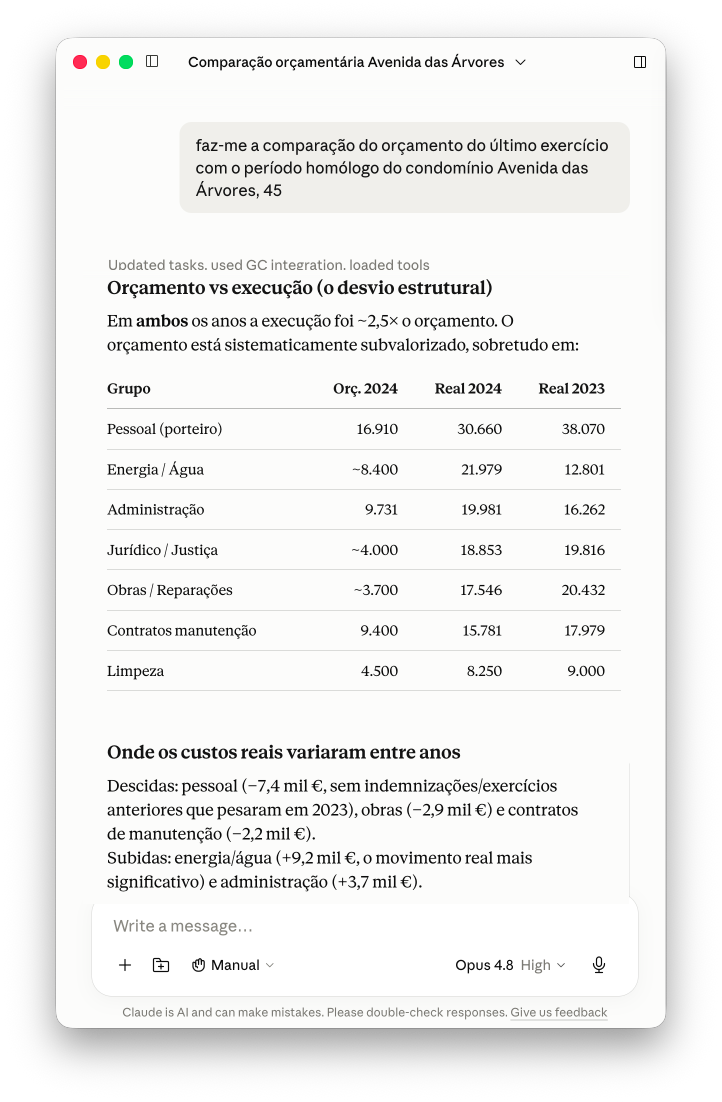
- Compare budget against actuals for the last financial year
- Which maintenance issues are still open?
- What meetings were held this year and what was on their agenda?
🔒 Security and privacy
- Queries only: the assistant does not create, change or delete records
- It sees only what your user already sees in the GC — the same permissions apply
- Owner names are not disclosed unless the company enables the Disclose owner names to the AI assistant option
- The connection can be revoked at any time from the assistant
⚠️ Important notes
- This feature consumes no plan actions, but requires an active AI plan
- Each user connects their own assistant, with their own credentials
- The assistant’s answers may contain errors — check in the GC before deciding
✅ Next step
Explore other AI features as well:
- How to explain a report with AI
- How to import owner debts from a file
- How to use the resident assistant